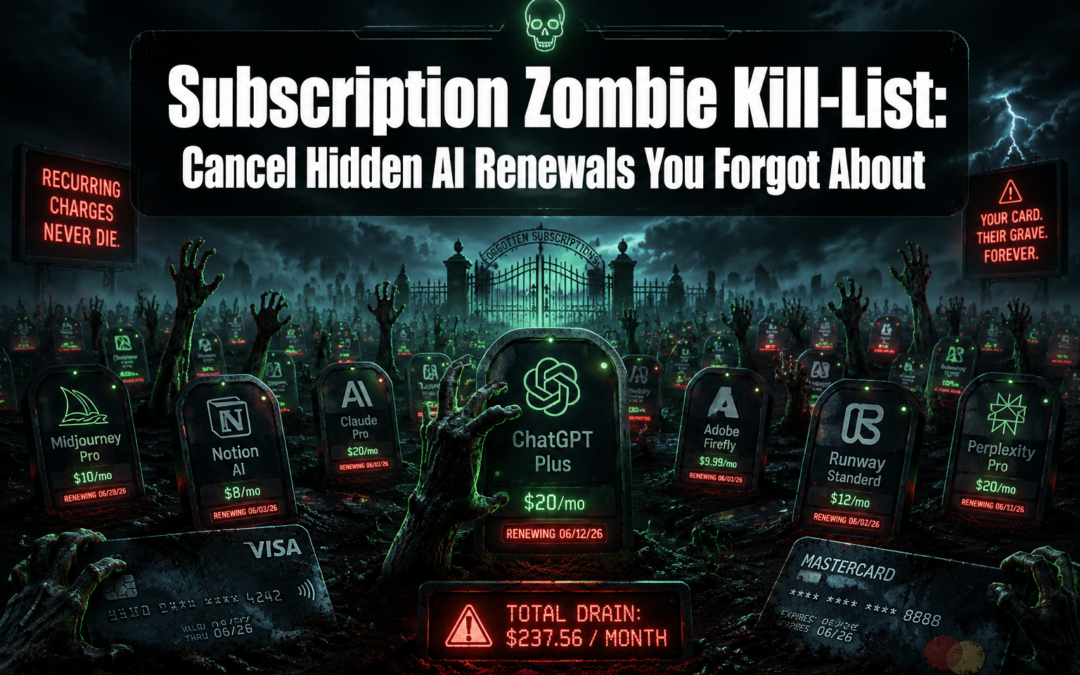
The average American household wastes $32.84 per month on subscriptions they've completely forgotten about — and in 2026, a huge chunk of that money is quietly flowing to AI tools signed up for during last year's explosion of free trials. That "free" AI writing assistant, the image generator with a 7-day trial, the productivity chatbot — they didn't die when the trial ended. They became subscription zombies.
The "Subscription Zombie" Kill-List: How to find and cancel hidden AI-service renewals you forgot you signed up for in 2025 is exactly what this guide covers. From tracking down forgotten signups buried in old emails to actually pulling the plug on auto-renewals that refuse to die, every step is laid out clearly below.
Key Takeaways 🧠
- Subscription zombies are real: Forgotten AI trials from 2025 are silently charging cards in 2026.
- Manual cancellation is almost always required — subscriptions rarely die on their own, even after platform changes.
- Missing a renewal deadline by even one hour means paying for another full billing cycle with no refund.
- Where you cancel matters: If you signed up through an app store, you must cancel there, not on the service's website.
- A simple 4-step audit process can recover hundreds of dollars annually.
Why 2025 Created the Perfect Subscription Zombie Apocalypse
Last year was arguably the biggest year in AI history for consumer signups. Hundreds of AI tools launched free trials, discounted annual plans, and "limited-time" offers. Millions of people signed up — and then moved on.
Here's the problem: those services didn't move on.
"Auto-renewal clauses are among the most overlooked risks in any subscription agreement. Without clear cancellation procedures and advance notifications, charges continue indefinitely." [1]
The AI subscription market in 2025 saw explosive growth in tools across these categories:
| Category | Common Examples |
|---|---|
| AI Writing & Copywriting | Jasper, Copy.ai, Writesonic |
| AI Image Generation | Midjourney, Adobe Firefly, Ideogram |
| AI Productivity & Chat | Perplexity Pro, Claude Pro, Notion AI |
| AI Video & Audio | Runway, ElevenLabs, Descript |
| AI Coding Assistants | GitHub Copilot, Cursor, Tabnine |
Many of these tools offered 7-day or 14-day free trials that required credit card details upfront. When the trial ended and life got busy, the zombie was born. 🧟
Why Subscription Zombies Are So Hard to Spot
Several factors make these charges easy to miss:
- Small amounts: Many AI subscriptions bill $8–$20/month — low enough to scroll past on a bank statement.
- Vague billing names: A charge labeled "ANTHROPIC SERVICES" or "OPENAI *CHATGPT" doesn't scream "cancel me."
- Annual billing traps: Some services switch from monthly to annual billing after year one, hitting the card with a $96–$199 charge that feels like fraud.
- Platform mergers and rebrands: When an AI service gets acquired or rebranded, many users assume their account auto-cancels. It almost never does. Manual cancellation is still required to stop charges [2].
The "Subscription Zombie" Kill-List: A Step-by-Step Audit to Cancel Hidden AI Renewals
Ready to slay some zombies? Here's a practical, no-fluff process to find and cancel every hidden AI renewal from 2025.
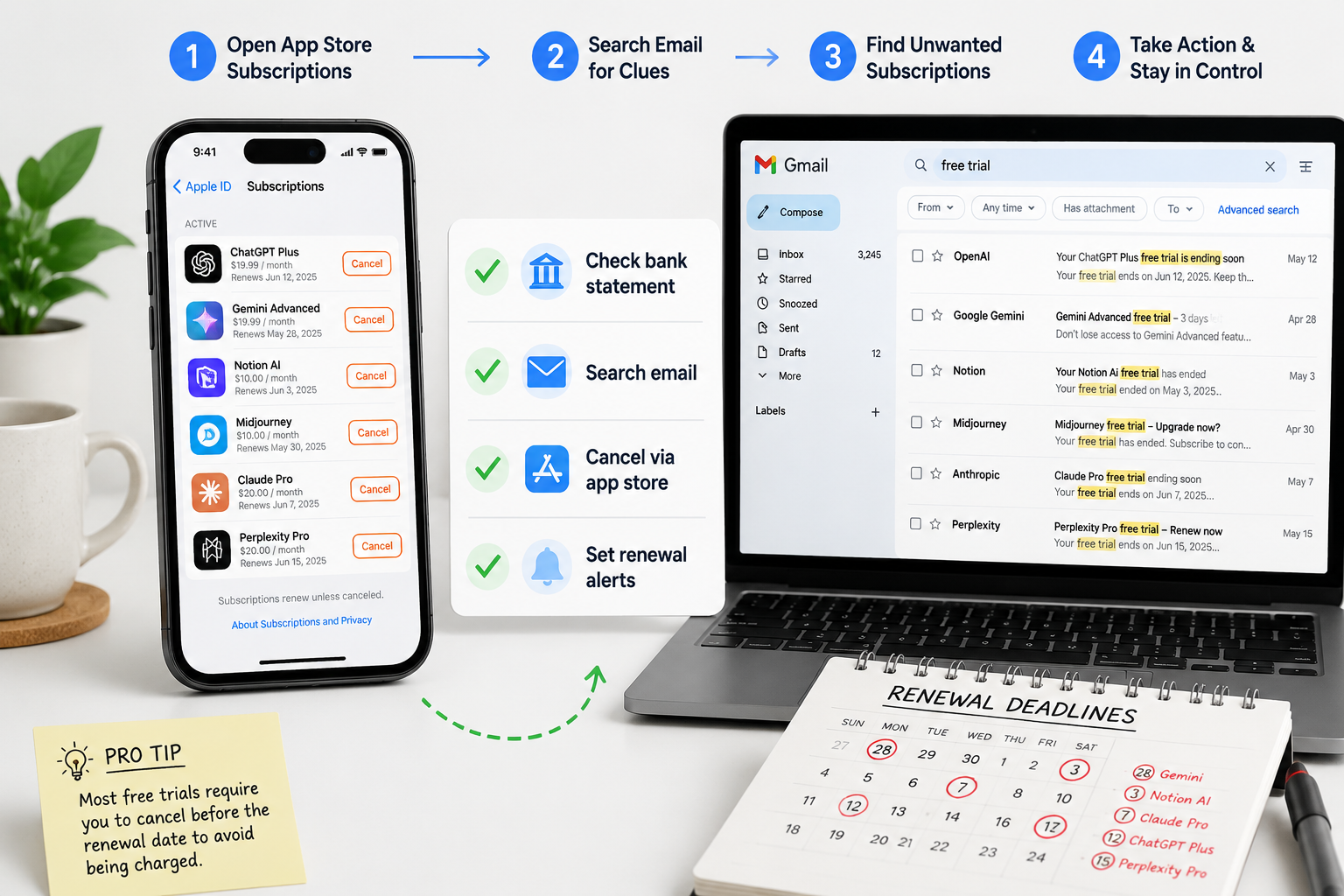
Step 1: The Email Excavation 📧
The fastest way to find forgotten AI signups is to search the inbox. Use these exact search strings in Gmail, Outlook, or Apple Mail:
"free trial" "AI"— catches trial confirmation emails"your subscription" "renews"— finds upcoming renewal notices"receipt" OR "invoice" site:openai.com OR jasper.ai— targeted billing receipts"welcome to" "plan"— catches onboarding emails from paid tiers
Pro tip: Search for the word "trial" and filter by date range: January 2025 to December 2025. Every result is a potential zombie.
Step 2: The Bank Statement Sweep 💳
Pull up the last 12 months of credit card and bank statements. Look for:
- Any charge between $5 and $30/month from an unfamiliar company name
- Annual charges between $50 and $200 from tech companies
- Charges with asterisks or abbreviations (e.g.,
MIDJOURNEY* MEMBER)
Create a simple kill-list spreadsheet with columns: Service Name | Monthly Cost | Annual Cost | Cancel Location | Status
Step 3: Check Every App Store 🏪
Here's a critical detail many people miss: if the cancel button isn't on the service's website, the subscription probably lives in an app store [2].
Check all of these:
- Apple App Store → Settings → [Your Name] → Subscriptions
- Google Play Store → Profile icon → Payments & Subscriptions → Subscriptions
- Roku → Settings → Subscriptions
- Amazon Appstore → Account → Manage Subscriptions
- PayPal → Settings → Payments → Manage Automatic Payments
Canceling on the service's own website will not stop a charge billed through Apple or Google. Both platforms must be handled separately.
Step 4: Set the Timer and Cancel Fast ⏱️
Timing is everything. Missing a renewal deadline by even one hour results in being charged for the next full billing cycle — and virtually no AI service offers refunds for partial months [2].
Once a zombie subscription is identified:
- Check the exact renewal date (usually in account settings or the confirmation email)
- Cancel at least 48 hours before that date — not the day of
- Screenshot the cancellation confirmation
- Check the bank statement the following month to confirm the charge stopped
⚠️ Important: Canceling a subscription does not mean getting money back for the current period. It means the next charge won't happen. Plan accordingly.
Step 5: Use a Subscription Tracker Going Forward 🛡️
Prevention beats cure. Several free and paid tools can monitor subscriptions automatically:
- Rocket Money (formerly Truebill) — scans bank accounts for recurring charges
- Trim — identifies and negotiates subscriptions
- Apple Screen Time / Google Dashboard — tracks app-store subscriptions natively
Best practices also include setting calendar reminders 7 days before any free trial ends and defining a personal cancellation procedure for every new signup [1]. A 30-second note in a phone's calendar app has saved many people from zombie charges.
Quick Reference: Where to Cancel the Most Common AI Services
| AI Service | Cancel Location |
|---|---|
| ChatGPT Plus | openai.com → Account → Manage Subscription |
| Claude Pro | claude.ai → Settings → Billing |
| Midjourney | midjourney.com → Account → Manage Subscription |
| Jasper AI | jasper.ai → Settings → Billing |
| GitHub Copilot | github.com → Settings → Billing |
| Perplexity Pro | perplexity.ai → Settings → Subscription |
| ElevenLabs | elevenlabs.io → Profile → Subscription |
| Runway | runwayml.com → Account → Plan |
Conclusion: Kill the Zombies Before They Drain Another Year 🔪
The subscription zombie problem isn't going away — if anything, 2026 will bring even more AI tools launching trials and hoping users forget. But with a focused audit, anyone can reclaim those hidden charges in under two hours.
Here are the immediate next steps:
- ✅ Search the email inbox for 2025 AI trial confirmations today
- ✅ Pull up the last 3 bank statements and flag any unfamiliar small charges
- ✅ Check Apple, Google, and Amazon app store subscriptions
- ✅ Build a simple kill-list spreadsheet and cancel anything unused
- ✅ Set a calendar reminder before every future trial expires
The money is already gone for past charges — but the next renewal cycle is still preventable. Every zombie subscription that gets canceled is real money back in the pocket. Don't let forgotten AI signups from 2025 keep feeding in 2026.
References
[1] Beware Of Zombie Contracts A Terrifying Tale Of Auto Renewals - https://www.agiloft.com/blog/beware-of-zombie-contracts-a-terrifying-tale-of-auto-renewals/
[2] How To Cancel Funimation - https://www.19pine.ai/cancel-subscription/streaming-and-services/how-to-cancel-funimation